The Textile Squeegee Rubber Guide
How to choose the right blade for opacity, detail & consistency
There’s a point most printers hit where things stop making sense.
Your exposure is dialled.
Your ink is right.
Your mesh count makes sense.
But your prints still aren’t behaving the way they should.
Whites aren’t covering the way you expect. Fine detail starts to soften. One print looks great, the next feels slightly off—even though nothing obvious has changed.
More often than not, that’s where the squeegee gets overlooked.
It’s one of the simplest tools in the process, but it has a disproportionate impact on how ink actually moves through the screen and onto the garment. And once you start understanding what it’s really doing, a lot of those “inconsistent” problems start to become predictable—and fixable.
A big part of this also comes down to how much ink is allowed through the screen in the first place—something heavily influenced by mesh construction.
Starting simple: what hardness actually changes
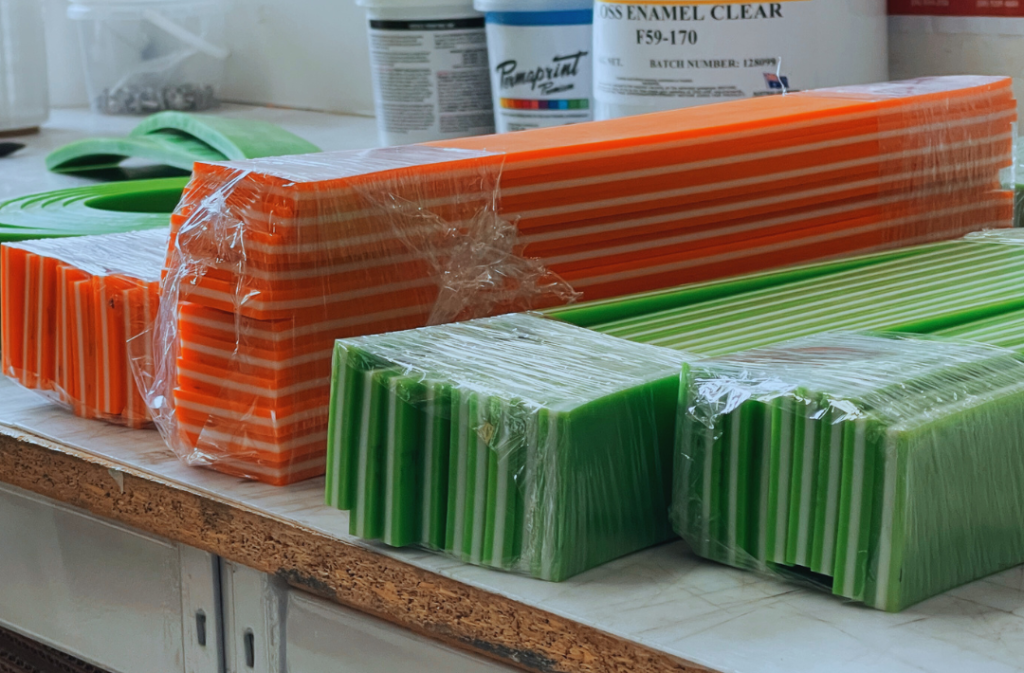
At a basic level, squeegee hardness controls how much the blade flexes during the stroke.
A softer blade will deform more as you print. That extra flex increases the amount of time the blade stays in contact with the stencil, which in turn pushes more ink through the mesh and into the fibres of the garment.
That’s why softer rubbers—like a 65 shore—are typically used for:
high opacity whites
underbases
prints where you need strong fibre penetration
This becomes especially important when printing white ink, where achieving strong opacity and clean coverage is critical.
On the other end, a harder blade like an 85 shore resists that flex. It moves more cleanly across the stencil, deposits less ink, and releases more sharply. That’s what allows it to hold finer detail, particularly when you’re working with higher mesh counts or halftones.
Sitting in the middle, a 75 shore becomes the default for most textile work. It gives you enough ink deposit to get solid coverage, while still maintaining a level of control that doesn’t muddy detail.
If you’re newer to printing, this is usually the easiest way to think about it:
softer = more ink
harder = more control
That simple rule will get you surprisingly far.
Where things start to break down in real shops
The issue is that most shops don’t adjust their squeegee as often as they should.
It’s common to see:
the same blade used across multiple mesh counts
the same durometer used for both underbases and detail layers
printers compensating with pressure instead of setup
That’s where inconsistency creeps in.
If you’re running a soft blade on fine detail work, you’ll often find yourself increasing pressure to try and “clean up” the print. That usually just leads to more ink being pushed through, which softens edges even further.
On the flip side, using a hard blade for an underbase can make you feel like the ink isn’t transferring properly—so you slow your stroke down or double stroke, which affects production speed and repeatability.
None of those adjustments are solving the actual problem. They’re just workarounds for a mismatch between the blade and the job.
In many cases, the issue isn’t just the squeegee—mesh selection and stencil quality also play a major role in how consistent your prints are.
Why triple durometer exists (and when it actually matters)
Once you start printing longer runs or larger designs, another variable comes into play: consistency across the stroke.
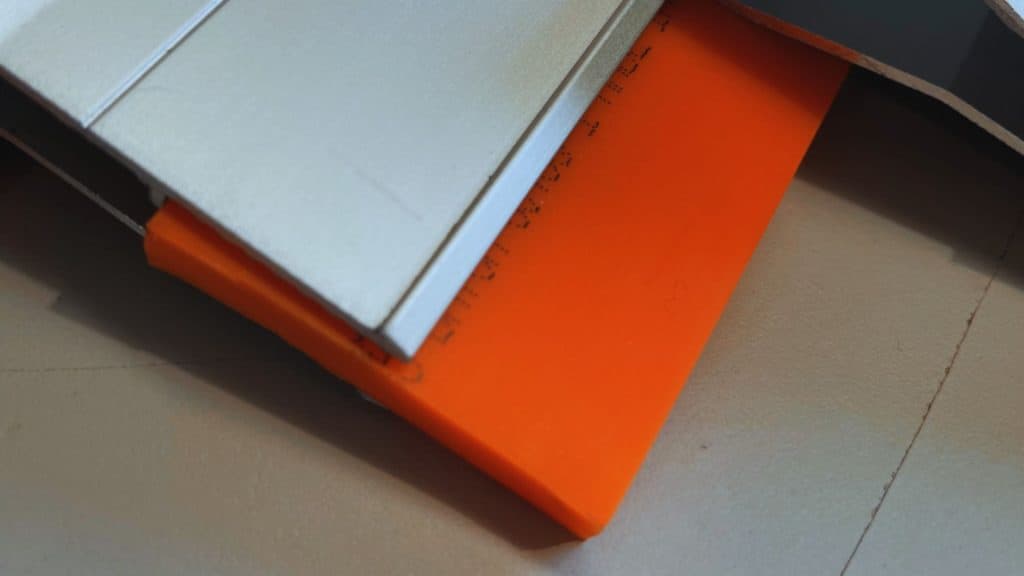
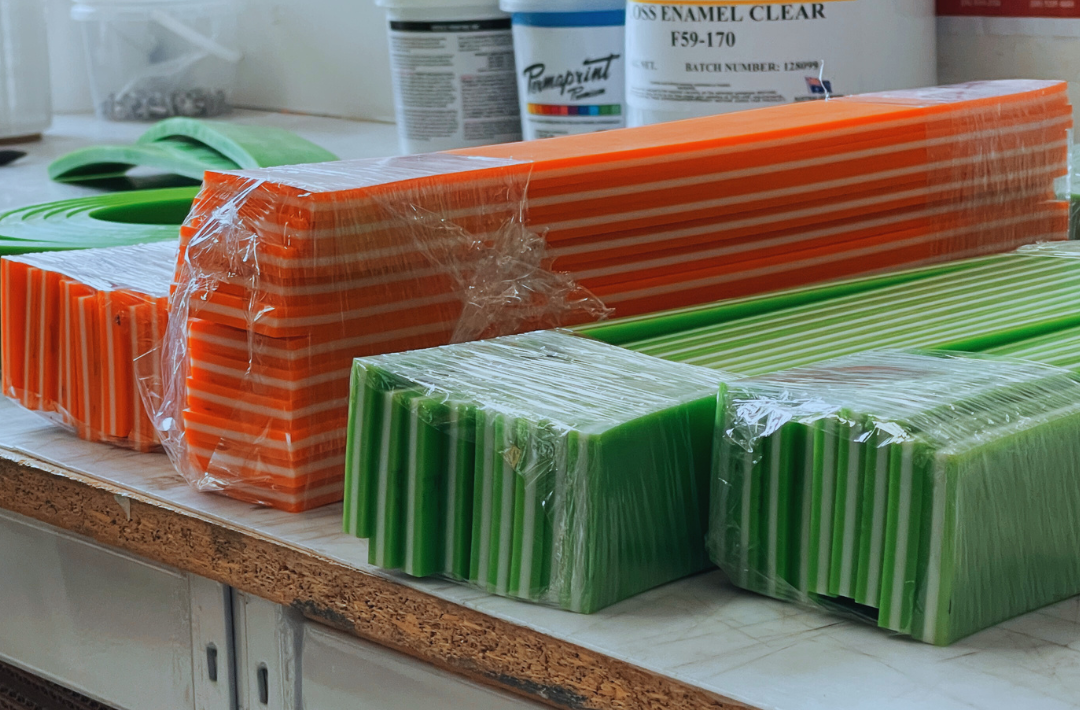
A standard (mono) squeegee is uniform all the way through. That means the same material is responsible for both ink transfer and structural support. As pressure increases—especially on longer strokes—the blade can flex unevenly. You might not notice it immediately, but over a run it shows up as variation in ink deposit.
Triple durometer rubber is designed to address that.
By combining soft outer layers with a harder internal core, it separates those two roles:
the outer edges handle ink flow
the inner core maintains pressure and stability
A 65/90/65, for example, still gives you the ink deposit and coverage of a soft blade, but with far more control through the stroke. That makes it particularly effective for underbases where consistency is critical.
A 75/90/75 pushes slightly more toward control. It’s a strong option for wet-on-wet printing, where you want to keep layers clean without sacrificing too much coverage.
The key benefit isn’t just “more ink” or “less ink”—it’s repeatability. The blade behaves the same way from the first print to the last, and from one side of the stroke to the other.
The part most people underestimate: edge profile
While hardness gets most of the attention, the edge of the blade plays a big role in how ink is released from the stencil.
A square edge is the standard for a reason. It delivers ink consistently and is forgiving across a wide range of setups. For most textile work—especially when coverage is the priority—it’s the safest and most reliable option.
A sharp edge, by comparison, changes how the ink leaves the stencil. It reduces the contact area slightly and allows for a cleaner release. That becomes noticeable when you’re printing finer detail or working with higher mesh counts, where control is more important than deposit.
Mesh colour and construction can also influence how well fine detail is held during printing.
It’s a subtle change, but in the right context it can make the difference between a print that looks acceptable and one that looks clean and intentional.
This becomes especially important when printing white ink, where coverage and opacity are critical.
Matching the blade to the job
Once you start thinking of the squeegee as part of a system, the choices become more straightforward.
For heavy coverage—like bold whites or underbases—a softer blade or a 65/90/65 triple durometer gives you the ink volume needed to build opacity.
For general plastisol work, a 75 or 75/90/75 tends to balance speed, control, and consistency without requiring constant adjustment.
When detail becomes the priority—halftones, fine line work, higher mesh counts—a harder blade or a sharper edge helps maintain clarity.
And for water-based or discharge printing, where variables like mesh and artwork can shift things significantly, you’ll often find yourself working within that 65–75 range and adjusting based on how the ink is behaving.
What’s actually happening during the stroke (advanced)
At a deeper level, the squeegee is doing more than just pushing ink.
It’s controlling:
how long the mesh stays in contact with the garment
how much ink passes through the stencil
how cleanly the mesh separates after the stroke
A softer blade increases dwell time and ink penetration, but reduces how efficiently the mesh snaps off. A harder blade does the opposite—it shortens contact time and improves release, but limits deposit.
This is why changing durometer often has a bigger impact than changing pressure. You’re not just adjusting force—you’re changing how the entire system behaves.
External variables—like humidity—can also affect how your setup behaves and how consistently ink transfers during a run.
Triple durometer sits in between those extremes. It allows you to maintain ink flow at the edge while stabilising the mechanics of the stroke, which is why it becomes more valuable as jobs get more demanding.
Bringing it back to practical decisions
If your prints are coming out heavier than expected, or detail is starting to soften, there’s a good chance your blade is too soft for what you’re trying to achieve.
If coverage feels weak or inconsistent, especially on whites, the blade may be too hard—or not delivering ink evenly across the stroke.
These aren’t major changes to fix. But they’re often overlooked because the squeegee is seen as a static part of the setup, rather than something that should be adjusted as the job changes.
Final Thought:
Print quality isn’t driven by one variable—it’s the result of how everything works together.
Mesh, ink, squeegee, angle, pressure—they all interact.
But the squeegee is one of the few variables that directly controls how ink moves through that system.
And once you start treating it that way, instead of just “the thing that pushes ink,” you get a lot more control over your results.
Want more like this?
We break down real production problems like this based on what we’re seeing in shops every day.
If you want more technical insights, setup tips, and practical fixes—join the email list and stay in the loop – Sign up here