When the Same Screen Printing Process Suddenly Stops Working
There is a screen printing problem we’ve been helping printers troubleshoot more frequently lately.
They have been using the same low-bleed white ink on cotton garments for years. Same ink, same press, same dryer and seemingly the same process.
Then one batch of cotton T-shirts comes through and something strange happens.
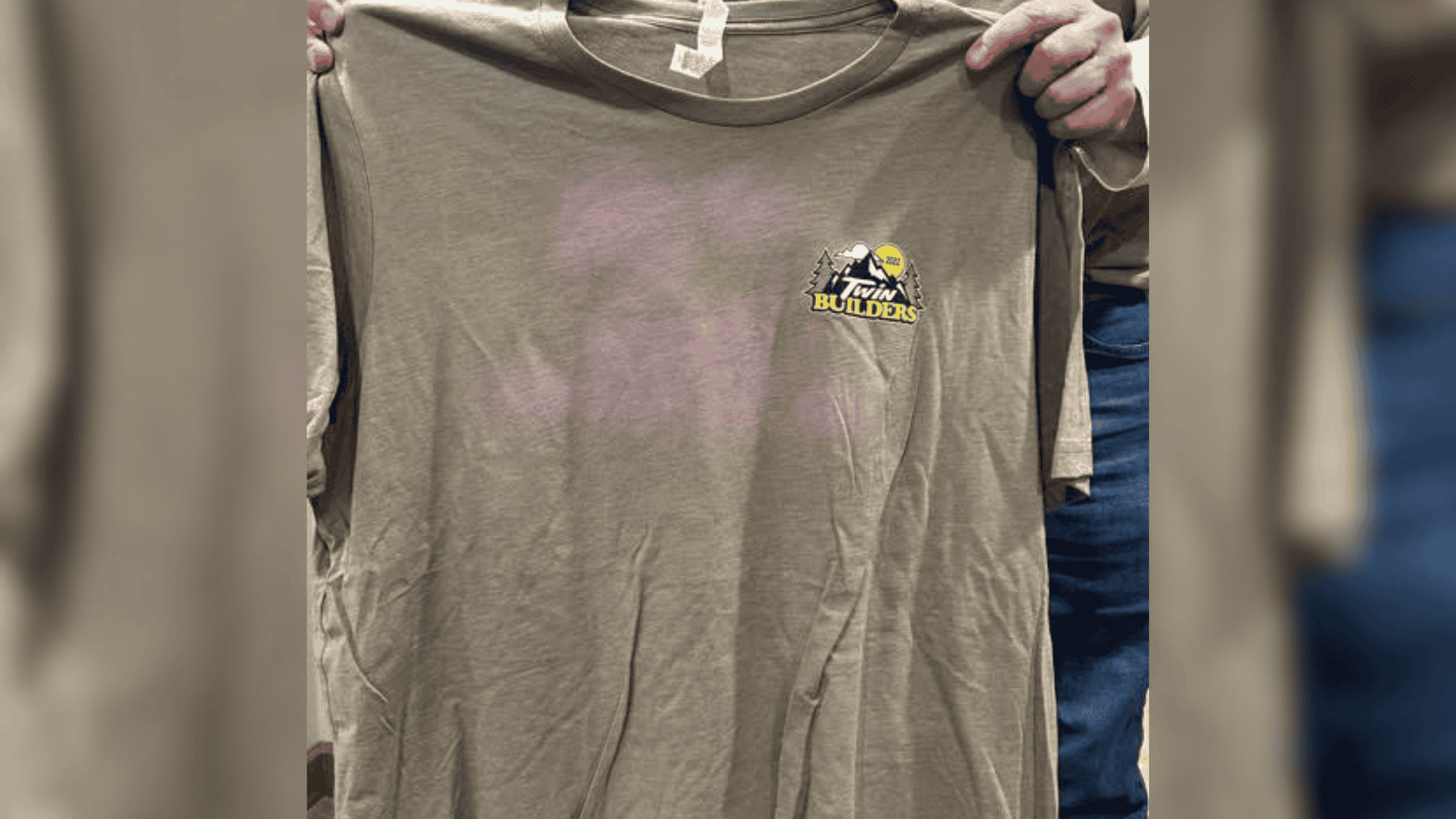
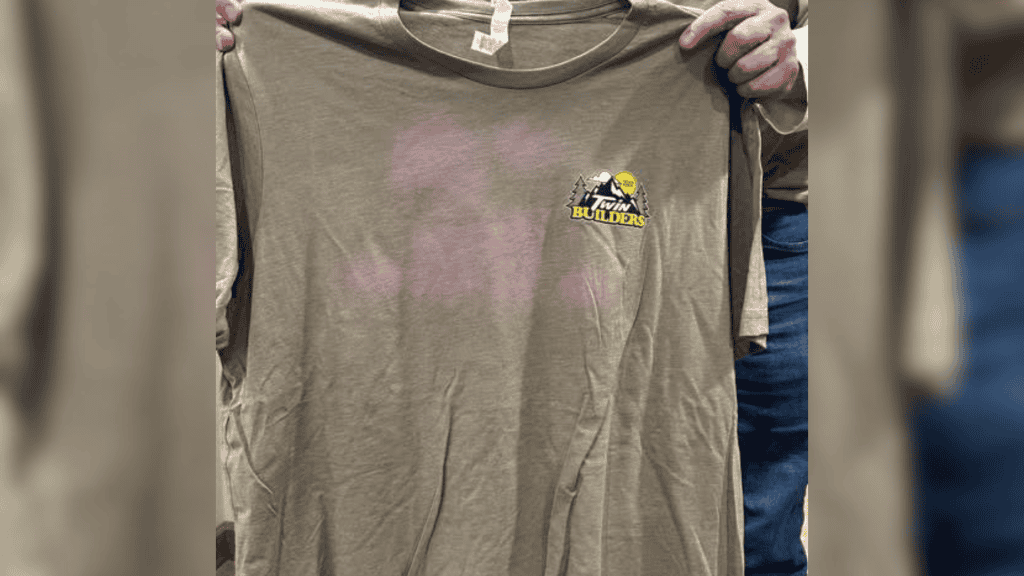
The white print looks fine, but the garment itself begins losing colour. You may see a faded area underneath or around the print, or in some cases a faint duplicate of the artwork appearing on another garment that was stacked against it after curing.
The immediate question is usually:
“Why is this happening now? We’ve always printed it this way.”
And that is exactly what makes this problem difficult to diagnose.
What you may be seeing is ghosting, also known as post-bleaching. It occurs when a particular combination of garment dye, bleed-resistant ink chemistry, moisture, heat and pressure comes together.
Your process may not have changed.
The garment underneath it might have.
Ghosting Is Not Dye Migration
The first thing to understand is that ghosting and dye migration are two different problems.
Screen printers working with polyester are normally familiar with dye migration. Polyester commonly uses disperse dyes that can become mobile when heated. During flashing and curing, those dyes can migrate out of the garment and into the ink film.
A white print that looked perfect can turn pink, grey, blue or another shade.
That is what low-bleed inks are designed to help control.
Ghosting works almost in reverse.
Instead of the garment colour moving into the ink, the dye in the garment itself can become lightened or altered. Your white print may still look perfectly white while the cotton underneath or around it appears faded.
A useful troubleshooting shortcut is:
White ink changing colour? Think dye migration.
Garment losing colour? Start investigating ghosting or post-bleaching.
Why Can Low-Bleed Ink Affect Cotton?
Low-bleed white is useful chemistry, but it was developed primarily around the problems presented by polyester and polyester-rich fabrics.
Cotton is different.
Cotton is a cellulose fibre and can be coloured using reactive dye systems. Certain reactive dyes can be susceptible to interactions with particular bleed-resistant ink chemistries.
This becomes especially confusing because you cannot necessarily identify the troublesome dye simply by looking at the shirt.
A reactive yellow component, for example, may be part of a recipe used to create colours such as khaki, tan, beige or brown. Two shirts labelled with the same colour may also use different dye formulations depending on the manufacturer or production batch.
To the printer, they look like the same garment.
Chemically, they may not be the same at all.
And that is one reason a low-bleed white can appear completely trouble-free for years before suddenly creating a problem.
“But We’ve Used This Ink for Years”
This is probably the most important part of understanding ghosting.
A printer telling us they have used the same white for years without trouble does not mean they have been doing anything obviously wrong.
Ghosting requires several conditions to line up.
The main variables include:
a susceptible garment dye
compatible bleed-resistant ink chemistry
moisture
heat
pressure
Change one of those variables and the result can change.
Maybe your blank supplier changed.
Maybe the garment manufacturer changed its dye formulation.
Maybe you received another dye lot.
Maybe the garments are holding more moisture than usual.
Maybe your shirts are coming out of the dryer hotter.
Or perhaps your production team is creating larger stacks of hot garments at the end of the conveyor.
That leads to an important lesson:
Same process does not always mean same substrate.
Moisture Can Be the Variable Nobody Notices
Moisture deserves particular attention because it is easy to overlook.
A cotton T-shirt can feel completely dry while still holding moisture within the fabric. Environmental conditions, storage and humidity can all influence how much moisture a garment carries into production.
This can be particularly relevant during cooler or damp periods.
Once that garment enters the dryer, it is exposed to considerable heat. If you already have susceptible garment dye and compatible low-bleed chemistry present, moisture can help create the conditions required for post-bleaching.
That is why a problem like this can sometimes appear almost seasonal.
The ink did not suddenly decide to behave differently.
The environment around the process may have changed.
Hot Stacking Can Make the Problem Worse
Then we get to what happens after curing.
Imagine shirts continuously coming off the conveyor. The catcher starts building a stack while every garment is still hot.
Ten shirts become twenty.
Twenty become fifty.
The garments in the middle of that stack stay hot much longer than a shirt cooling by itself. The weight of the stack adds pressure, while heat and moisture can become trapped between garments.
Under the wrong conditions, you have effectively created a warm, low-pressure environment that keeps the chemistry reacting long after the shirt has left the dryer.
This can produce the classic ghost-image failure.
The printed face of one garment sits against another hot garment in the stack, and later you discover a pale impression of the artwork on the shirt that was touching it.
Nobody printed that second image.
The chemistry did it for you.
Ghosting Does Not Always Show Up Straight Away
One of the most frustrating things about ghosting is that it does not always appear straight away.
A garment can leave the dryer looking completely normal. The printer checks it. The customer checks it. Everything looks fine.
Then the garments are packed away.
If they are stored in a warm environment, especially while stacked or boxed together, heat, moisture and pressure can continue to influence the reaction between the garment dye and the low-bleed ink chemistry.
We recently saw this happen on a job where there was no visible ghosting at production, and none when the customer first inspected the garments. Months later, after the garments had been stored in a hot area, the ghosting became visible.
That is the key point:
Ghosting can be a delayed failure.
An immediate inspection is useful, but it does not always tell you how stable that ink-and-garment combination will be over time.
For higher-risk jobs, keep a printed sample and check it again later, especially if the finished garments are likely to be boxed or stored somewhere warm.
A print can look right today and still reveal a compatibility problem later.
More Heat Is Not Better Cure
Dryer temperature is another variable worth checking.
There is a tendency in screen printing to think:
“If I’m worried about under-curing it, I’ll just give it more heat.”
That can create another problem.
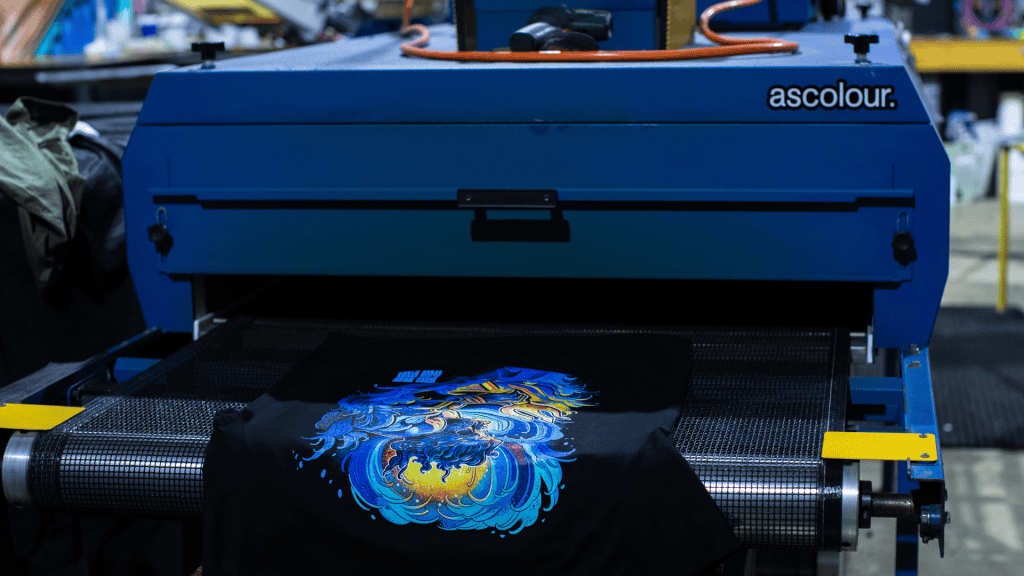
The objective is to get the entire ink film through the cure requirements specified by the manufacturer. Once that has happened, excessive temperature or excessive dwell time is not giving you “extra cure”. It is simply putting more heat into the garment.
That additional heat can increase dye migration problems on polyester and can also contribute to ghosting conditions on susceptible cotton garments.
The goal should be:
Fully cure the ink with controlled heat exposure.
Not:
Cook the garment just to be safe.
Verify your actual ink-film temperature and understand what your dryer is doing rather than relying solely on the number displayed on the control panel.
Does This Mean Low-Bleed White Should Never Go on Cotton?
No.
That would be an oversimplification.
Some low-bleed whites are specifically formulated for broader substrate compatibility, including cotton and cotton/poly blends. Some are polyester-focused. Others sit somewhere between the two.
That is why the Technical Data Sheet matters.
Do not assume that every ink labelled “low bleed” behaves identically.
If you are printing 100% cotton, ask whether you actually need bleed-resistant chemistry in the first place. A cotton white can instead be formulated around the characteristics cotton printing requires: opacity, fibre matte-down, smooth printability, coverage and hand feel.
The better rule is:
Use the ink for the problem you actually have.
Natural Fibre Does Not Mean “Every Natural Garment Behaves the Same”
The clearest version of this argument applies to 100% cotton.
Other natural and cellulose-based materials can include linen, hemp, viscose, rayon or blends, and their dyes, finishes and garment constructions can vary. A shirt labelled “natural” may also contain synthetic components that change the print decision.
Do not replace one oversimplification with another.
The process should still begin with the fibre-content label, supplier information and garment testing.
A garment marked 100% cotton creates a different starting point from a cotton/poly blend. A garment marked 80% cotton and 20% polyester still contains polyester and may require a bleed-risk assessment. A recycled or undocumented blend deserves more caution than a known cotton blank.
Choose by actual composition, not by the general appearance or feel of the garment.

How We Would Troubleshoot It
If you suddenly start seeing post-bleaching, avoid changing everything at once.
Start with the garment. Confirm the fibre composition and check whether the blank, manufacturer, garment finish or dye lot has changed.
Then check the ink. Read the TDS and confirm whether that white is actually recommended for cotton.
Next, verify your cure. Make sure the ink is reaching full cure without unnecessarily overheating the garment.
Then look at the end of the dryer.
Are shirts being stacked immediately while extremely hot? Are the stacks larger than they used to be? Could the garments cool more before being stacked or boxed?
Finally, consider your environment. If it has been unusually cold or humid, retained garment moisture deserves to be part of the investigation.
And before committing to a large run, test the actual garment.
Print it. Cure it. Let one sample cool individually and place another into a warm stack similar to normal production. Inspect both once cooled and, for a higher-risk job, inspect them again later.
A test garment is considerably cheaper than replacing 500 shirts.
Avient have developed a Screen Printing Test Procedures guide. To save you the trouble, here is the Ghost Test procedure:
- Print on fabric with plastisol ink and cure as
recommended. - Lay test fabric on the transfer machine and
moisten the print area. - Fold part of the unprinted fabric over the
moistened print area. - Heat press at 250°F (121°C) for 30 minutes.
- Remove from the press, unfold the fabric, andcheck the unprinted portion of the garmentfor a ghost effect.
If ghosting appears, switch to a cotton white ink and avoid stacking hot garments.
Key Takeaway
If a low-bleed white suddenly appears to be bleaching cotton garments after years of trouble-free printing, do not immediately assume your ink has changed.
The substrate may have.
A different garment dye, dye lot, moisture level, cure condition or hot-stacking process can expose a problem that your shop simply had not encountered before.
That is why printers can seemingly get away with the same process for years—until they don’t.
Low-bleed white remains an important tool when bleed resistance is actually required. But it should not automatically become the white used on every garment simply because it has always worked before.
Know the substrate.
Read the TDS.
Control your cure.
Watch your hot stacking.
And test unfamiliar garments before committing to production.
Same process does not always mean same substrate.
Want more like this?
We break down real production problems like this based on what we’re seeing in shops every day.
If you want more technical insights, setup tips, and practical fixes—join the email list and stay in the loop – Sign up here
FAQs
1. Why is my low-bleed white bleaching a cotton T-shirt?
What you may be seeing is ghosting or post-bleaching. It can occur when certain cotton dyes interact with bleed-resistant ink chemistry under the right combination of moisture, heat and pressure.
2. Is ghosting the same as dye migration?
No. Dye migration usually causes the ink colour to change as polyester dye moves into the print. Ghosting affects the garment colour itself, causing the fabric to fade or lighten around the printed area.
3. Why can ghosting suddenly happen after years without problems?
The print process may be the same, but the garment may not be. A different blank supplier, dye formulation, dye lot, garment finish, humidity level or stacking process can introduce the conditions needed for ghosting.
4. Can hot stacking cause ghosting?
Yes. Stacking garments immediately after curing can trap heat and moisture while adding pressure between the shirts. On a susceptible garment, that can increase the risk of post-bleaching or even create a pale “ghost” of the print on another shirt in the stack.
5. Should I stop using low-bleed white on cotton altogether?
Not necessarily. Some low-bleed whites are specifically approved for cotton and broader substrate use. The important thing is to check the ink TDS, understand the garment composition and test unfamiliar blanks rather than assuming every low-bleed white will behave the same way on every cotton garment.